Skip the spec, enter debugging hell.
You're building alone. Make every hour count. An AI team that catches what you miss.
Install once, enforce everywhere
A spec document that AI reads before coding.
With a PRD, AI knows exactly "what to build" and helps you accurately.
"Build a login feature"
AI guesses and builds something. Password reset? Social login? Skipped.
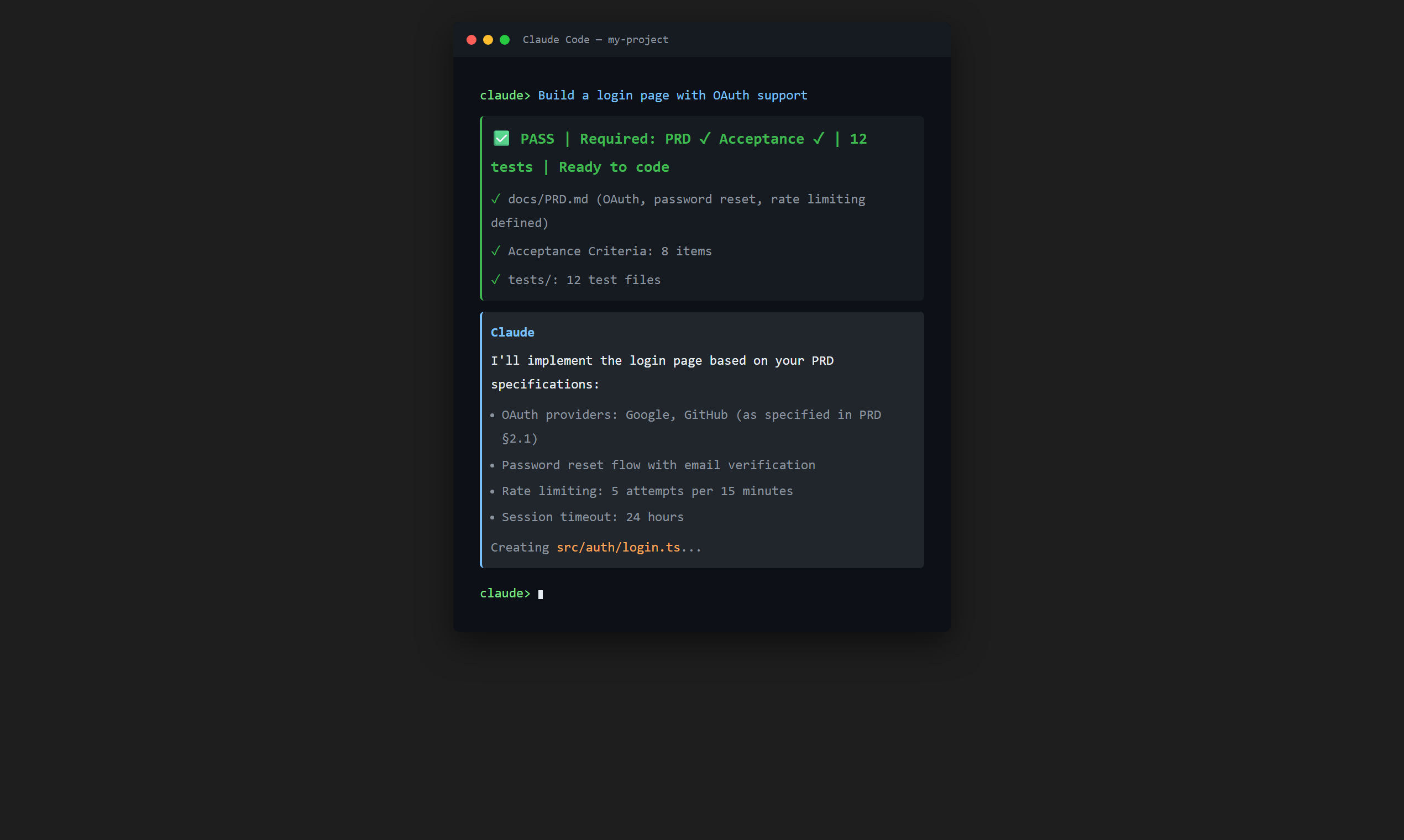
AI reads PRD and implements exactly
"Email login, password reset, Google OAuth" - all included. Nothing missed.
PRD = AI's work order. Clear instructions, clear results.
"Build login" - Password reset? Social login? Silently omitted.
No architecture thinking - straight to code - full refactor later.
No record of decisions. Repeat the same debates. Waste hours rediscovering context.
That's why PRD should be a 'gate', not an 'option'.
3 simple steps
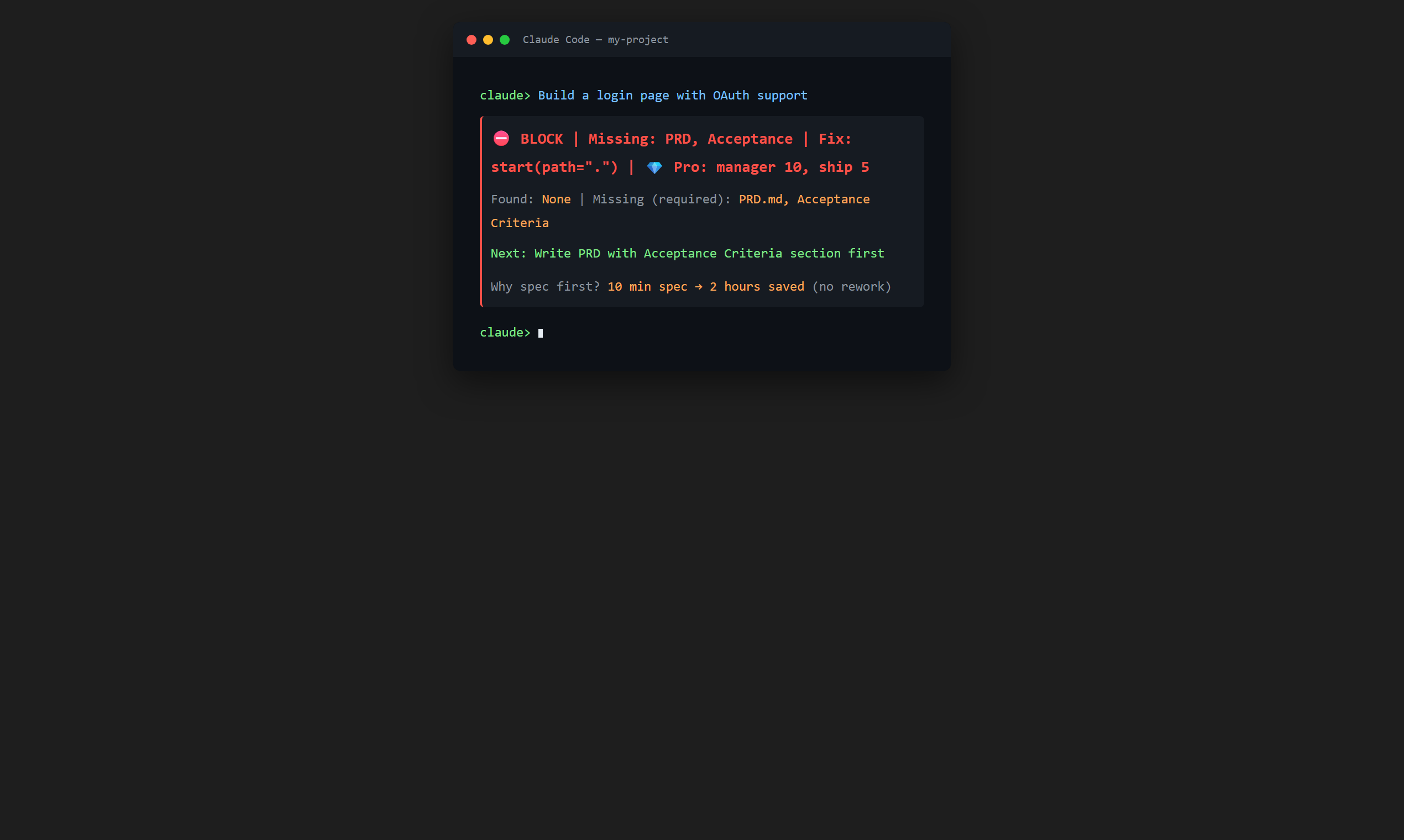
No PRD? Can't proceed. Write the spec first.
Required sections, format, determinism checks must pass.
Only after passing the gate. Structured development.
3-tier quality gate: BLOCK - WARN - PASS
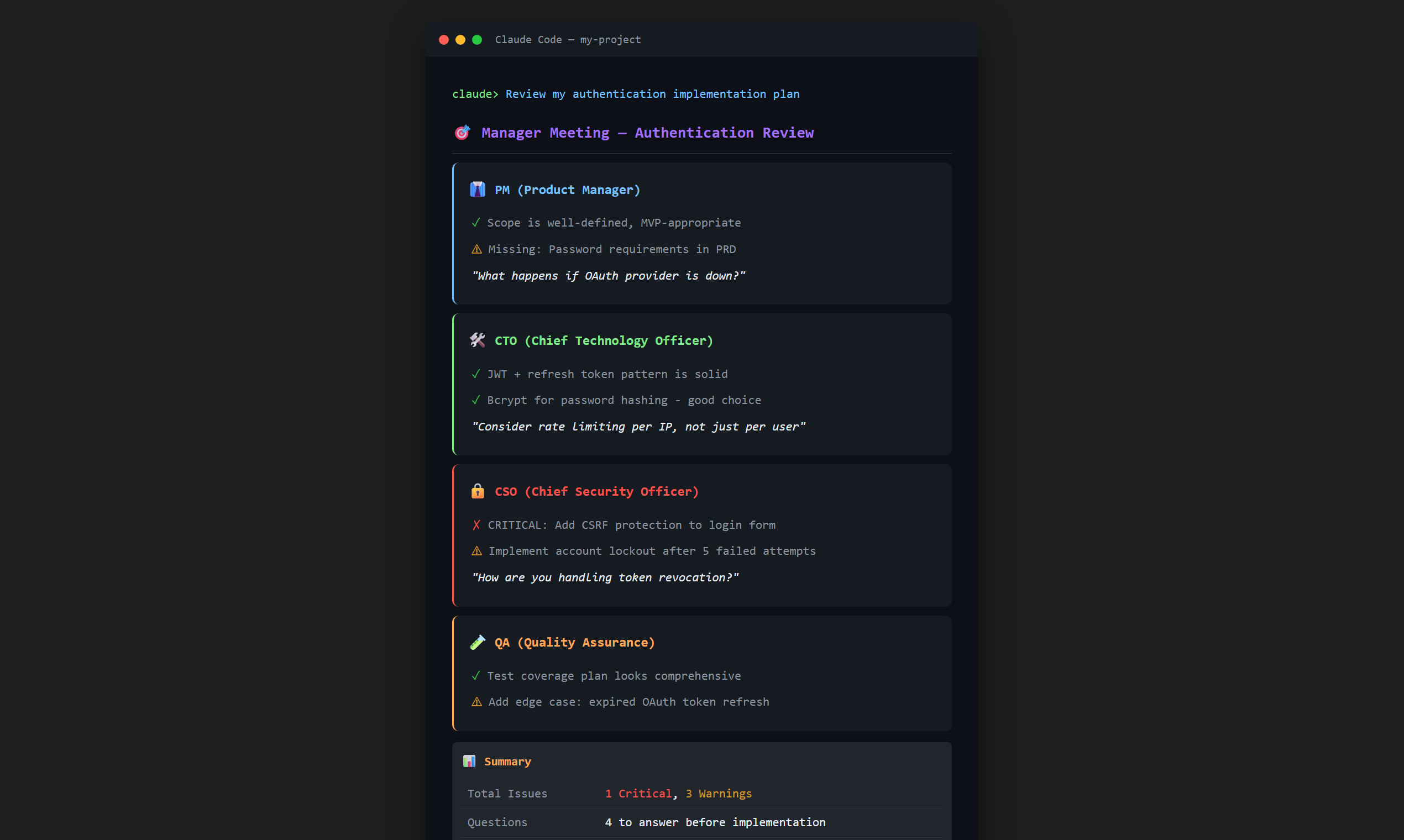
8 AI managers discuss your code like a real meeting - PM, CTO, QA, CSO and more
Pro catches what you miss: security holes, cost implications, UX issues, and more.
AI that helps you think, not thinks for you
⚡ Solo dev = Fast iteration. Feedback reflected within 24-48 hours.
3-second sanity check before coding. Surface blind spots instantly.
Get realistic meeting transcripts in 30 seconds. PM, CTO, QA, Security discuss your code.
Remembers every decision. Stop making the same mistakes twice.
No spec? No code. Forces thinking before typing.
Free: 3 steps. Pro: 4 steps (+ activate)
# 1. Install
pip install clouvel
# 2. Activate (Pro only)
clouvel activate YOUR_LICENSE_KEY
# 3. Setup (auto-config)
clouvel setup
# Adds CLAUDE.md rules + registers MCP server
# 4. Run
claude
# can_code check runs automatically on code requests
# 1. Install
pip install clouvel
# 2. Activate (Pro only)
clouvel activate YOUR_LICENSE_KEY
# 3. Setup (auto-config)
clouvel setup
# Auto-modifies config.json + adds global rules
# 4. Run
Restart Claude Desktop - auto-connected
# 1. Install
pip install clouvel
# 2. Activate (Pro only)
clouvel activate YOUR_LICENSE_KEY
# 3. Setup (auto-config)
clouvel setup
# Auto-modifies settings.json + adds global rules
# 4. Run
Use with Claude extension in VS Code
# 1. Install
pip install clouvel
# 2. Activate (Pro only)
clouvel activate YOUR_LICENSE_KEY
# 3. Setup (auto-config)
clouvel setup
# Adds MCP config + global rules
# 4. Run
Use with Claude extension in Cursor
Start free, upgrade when you need more
If your team uses AI coding but keeps losing time to requirement gaps and debugging, this pays for itself.
Open Source
Solo developer (1 seat)
Use code FIRST1 for first month $1 (50 left!)
17% off with yearly billing
Coming Soon
Need team features? Let us know - We're building based on your feedback
Frequently Asked Questions
We provide templates, but don't force them. Just need required sections (goals, scope, requirements).
Yes. Use your existing template as-is. Clouvel just gates on document "existence", not specific format.
License activation needs internet once. After that, works fully offline.
It's an MCP server - just add config to Claude Code/Desktop. Doesn't touch your code or project structure.
A prompt is a "request". A gate is a "rule". Requests can be ignored. Gates either pass or block. Rules create consistency.
Machine reset, license issues - we'll help you quickly
Inquiry received! We'll get back to you soon.
Failed to send. Try again later or use GitHub Issues.
Or reach us at GitHub Issues